2026-06-26
Haze Seas Steam Market Current Status and What Players Should Do
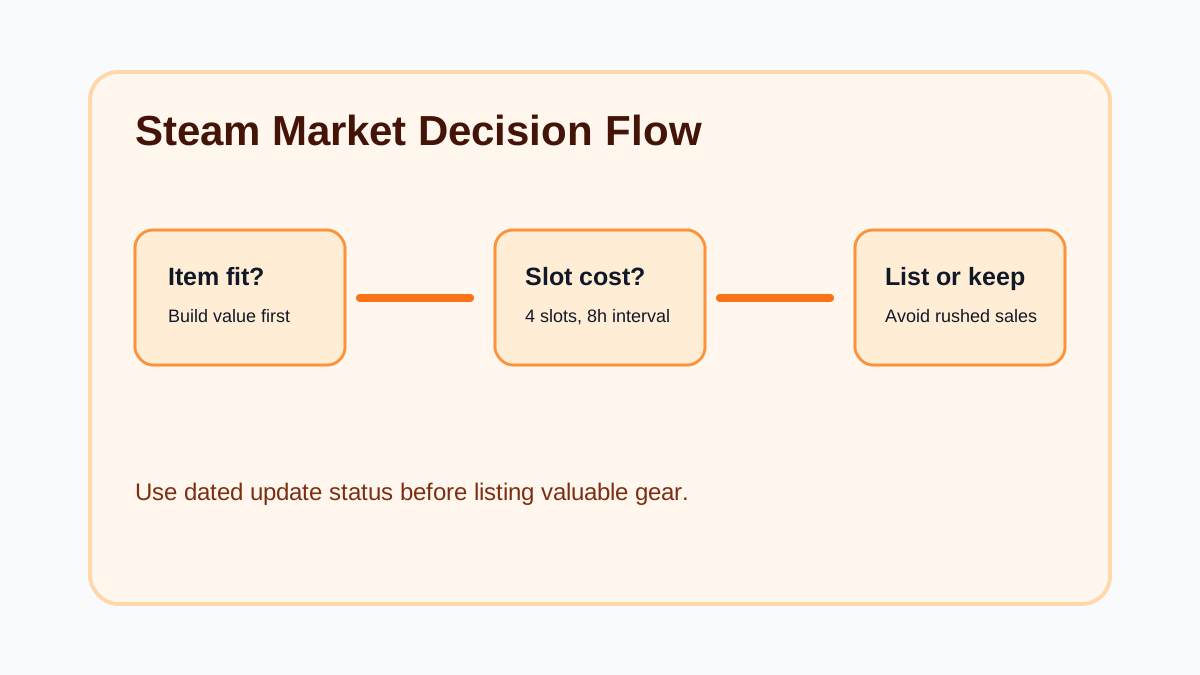
Haze Seas Market decisions are still tied to the launch server fixes. The important question is not only whether a Market button appears. Players should also check listing slots, cooldown timing, server and Mailbox flow, and whether the item is safer to keep for progression than to sell.
The Market-rule background starts with the v1.00.12 server migration and runs through the v1.00.21 Market reopening checked on June 26, 2026. The site-wide latest update is now v1.00.22, checked July 2, 2026, but that update is mainly about coin compensation, Reward Mailbox, Trade Ship slot DLC, Offering level changes, and Market-related fixes. Use v1.00.21 for listing rules and v1.00.22 for Mailbox reward tabs.
Current Steam Market Status
| Topic | Practical Rule |
|---|---|
| New listings | v1.00.21 says the Steam Market is available again, but top-three-grade item listings are temporarily restricted. |
| Listing slots | 4 listing slots are provided. |
| New listing cooldown | Listing an item starts an 8-hour cooldown on that slot, and the listing cannot be canceled after the cooldown begins. |
| Button activation | Some accounts may need about 30 minutes to 2 hours before listing and sale buttons activate. |
| Cosmic, Divine, Celestial | These top three grades are temporarily restricted from listing during the initial opening period. |
| Soulstones | Soulstones can still be listed according to the v1.00.21 notice. |
| Existing listings | Earlier notices separated cancellation and purchase behavior from new listing restrictions. Re-check the current Steam Market before acting. |
| Item cleanup | Abnormally generated or invalid items may be deleted during server-side checks. |
| Mailbox and chests | Owned chests were moved to Mailbox in v1.00.12, and v1.00.13 fixed invalid chest and Act Boss chest timing issues. |
| Latest official state | v1.00.22 is the newest checked official update as of July 2, 2026. v1.00.21 remains the main Market listing-rule background. |
| Mailbox tabs | v1.00.22 separates Reward mail from General mail. Coin compensation belongs in Reward; Market purchases and lost items belong in General. |
What Players Should Do Now
- Update to the current client before opening Market, Mailbox, Cube, or boss chest loops.
- Do not reconnect with an older build after opening v1.00.12 or later.
- Check Mailbox and Steam inventory before assuming a purchased or delayed item is missing.
- Avoid repeated Market, Trade Ship, Cube, or chest actions while the server is slow.
- Use the 4 slots carefully and do not plan immediate Cosmic, Divine, or Celestial listings until the follow-up official schedule opens those grades.
Keep, Sell, Or Wait
| Item Situation | Better Choice |
|---|---|
| Solves your current stage wall | Keep or upgrade first. |
| Has rare sockets or useful Unique Stats | Review carefully before selling. |
| Is high rarity but wrong class | Compare Market value against future class use. |
| Is low rarity and not useful | Alchemy or resource conversion may be fine. |
| Looks duplicated, invalid, or suspicious | Wait for server cleanup and avoid treating it as stable value. |
| Came from Act Boss flow during update issues | Confirm chest receipt and current version before making a Market decision. |
| Is legacy equipment | Re-check after v1.00.13 before assuming Decoration, Engraving, or Inscription is blocked. |
Listing Slot Priority
When listing space is limited, do not spend a slot on an item just because it is tradable. Use this order:
- Items with strong rarity and useful sockets.
- Items that do not fit your current or planned heroes.
- Items with clear Market-facing appeal.
- Items you can afford to wait on if the listing interval is long.
Avoid listing build-critical gear during a server transition. A sale is only good if it does not weaken your next farming loop or rely on an item state that a later validation pass may change.
Market Mistakes To Avoid
The first mistake is listing everything just because the Market reopened. Four slots and 8-hour cooldowns make weak listings expensive because they block stronger items.
The second mistake is treating the Market like a live price oracle. Unless a page has real connected price data, use it as a decision workflow, not a price guarantee.
The third mistake is ignoring update timing. Market, Trade Ship, chest delivery, and server-side item checks can change what a "safe" item action means.
The fourth mistake is treating fake code or giveaway pages as Market advice. Do not trust reward claims unless they are tied to an official source, in-game notice, or current developer announcement.
Related Pages
Continue with the v1.00.22 coin compensation update, v1.00.21 Market reopening update, Market listing not showing, Steam Market purchase not showing, Market safety and abnormal items, Items guide, Market tracker, Chest and Mailbox guide, and Steam Market page.
Next reads
Continue with the beginner route, update notes, or the full guide archive when you want a different angle.